
{{@site.accent_color}}- Hex code for the theme’s accent color as defined in Design settings{{@site.admin_url}}- The URL for your Ghost admin{{@site.codeinjection_head}}- Site header global code injection{{@site.codeinjection_foot}}- Site footer global code injection{{@site.cover_image}}– Site cover image from General settings{{@site.description}}– Site description from General settings{{@site.facebook}}– Facebook URL from General settings{{@site.icon}}- Publication icon from General settings{{@site.locale}}- Configured site language.{{@site.logo}}– Site logo from General settings{{@site.navigation}}– Navigation information configured in Navigation settings{{@site.timezone}}– Timezone as configured in General settings{{@site.title}}– Site title from General settings{{@site.twitter}}– Twitter URL from General settings{{@site.url}}– URL specified for this site in your custom config file
Example Code
@site member data and options
The@site helper offers data related to membership
{{@site.allow_self_signup}}- True if new members can sign up themselves (membership is not private or turned off){{@site.comments_access}}- Level of membership required to comment (all,paid,off){{@site.comments_enabled}}- True if comments enabled{{@site.members_enabled}}- True if subscription access is not set to “Nobody”{{@site.members_invite_only}}- True if subscription access is set to “Only people I invite”{{@site.members_support_address}}- Email set for member support{{@site.paid_members_enabled}}- True if members is enabled and Stripe is connected{{@site.portal_button_icon}}- Image URL when using a custom Portal button icon{{@site.portal_button_signup_text}}- Sign-up text for the Portal button{{@site.portal_button_style}}- Portal button style (Icon and text,Icon only, orText only){{@site.portal_button}}- True if Portal button is enabled{{@site.portal_name}}- True if name field is included in signup form{{@site.portal_plans}}- Portal plan names{{@site.recommendations_enabled}}- True if recommendations are enabled{{@site.portal_signup_checkbox_required}}- True if signup requires accepting agreement to terms{{@site.portal_signup_terms_html}}- HTML of the signup terms as set in Portal{{@site.signup_url}}- URL for members signup via Portal or Feedly RSS subscription based on subscription access setting
Example code
@site meta data
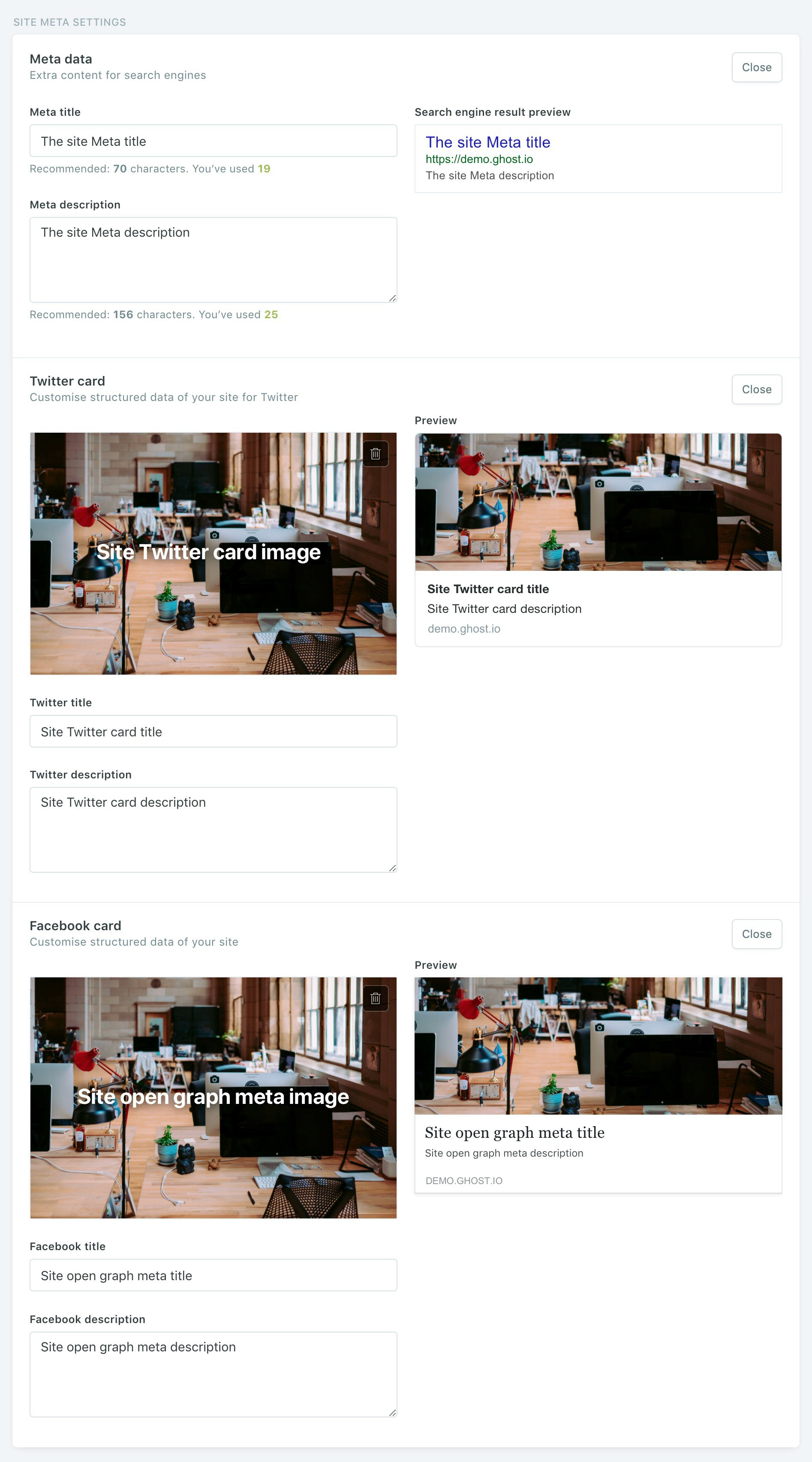
The@site helper provides more extensive attributes around site metadata as well. The @site meta data values can be set in the Ghost admin under Site Meta Settings within General Settings:
{{@site.meta_title}}– Site meta title{{@site.meta_description}}– Site meta description{{@site.twitter_image}}– Site Twitter card image{{@site.twitter_title}}– Site Twitter card title{{@site.twitter_description}}– Site Twitter card description{{@site.og_image}}– Site open graph image (used when shared on Facebook and across the web){{@site.og_title}}– Site open graph title (used when shared on Facebook and across the web){{@site.og_description}}– Site open graph description (used when shared on Facebook and across the web)