> ## Documentation Index
> Fetch the complete documentation index at: https://docs.ghost.org/llms.txt
> Use this file to discover all available pages before exploring further.
# Migrating from WordPress
> Migrate from WordPress and import your content to Ghost with this guide
You can easily migrate your posts and pages from WordPress site to Ghost in just a few clicks, using the WordPress migrator in Ghost Admin.
## **Run the migration**
The WordPress migrator allows you to quickly import content from your WordPress site to your Ghost publication. You can access the migrator tool from the **Settings → Advanced →** **Import/Export** area of Ghost Admin.
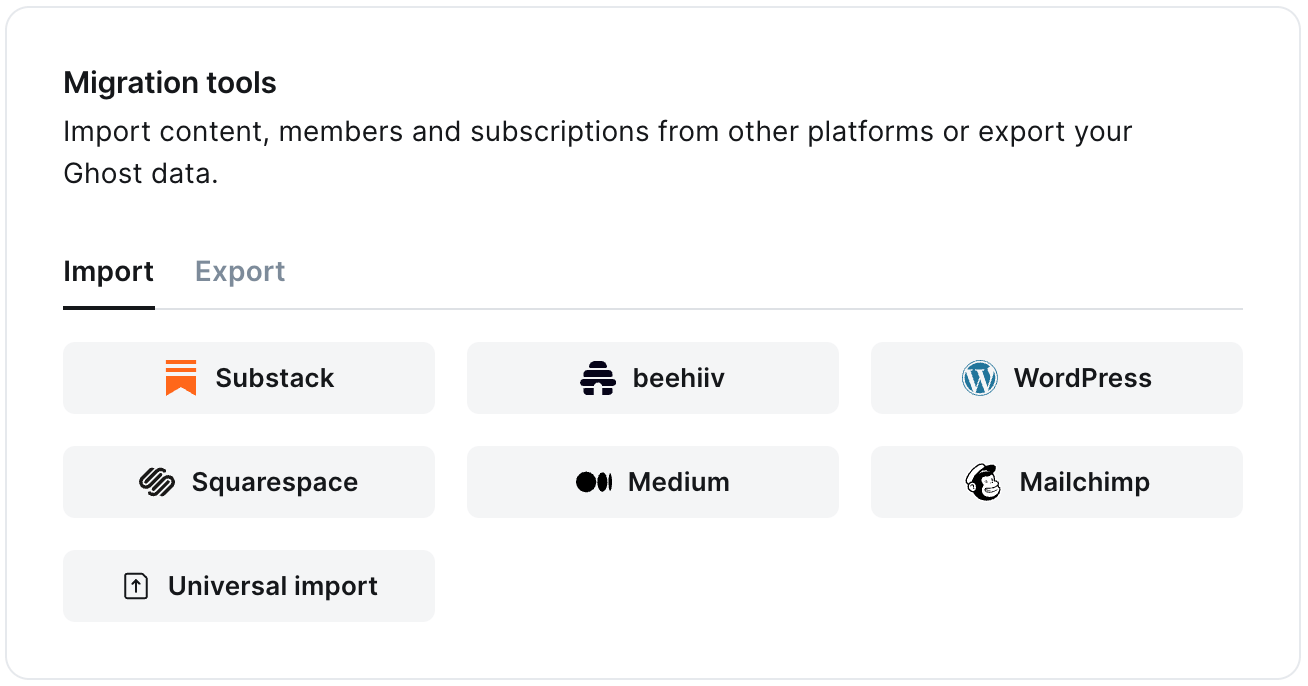 It's helpful to log in to your WordPress site before running the migration in Ghost Admin.
### **1. Enter your WordPress URL**
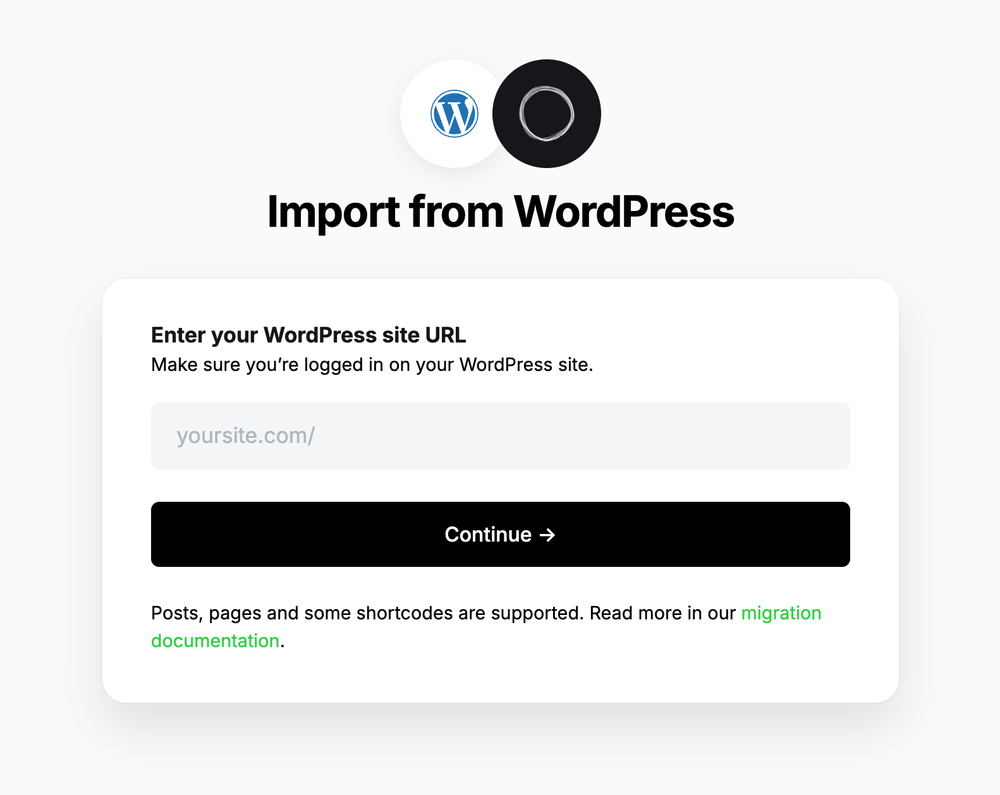
To start the migration process, enter the public URL to your WordPress site, and click **Continue**.
It's helpful to log in to your WordPress site before running the migration in Ghost Admin.
### **1. Enter your WordPress URL**
To start the migration process, enter the public URL to your WordPress site, and click **Continue**.
 ### **2. Export content**
Next, click **Open WordPress Settings.** If already logged into WordPress, this will take you directly to the location of your WordPress site where an export can be generated.
### **2. Export content**
Next, click **Open WordPress Settings.** If already logged into WordPress, this will take you directly to the location of your WordPress site where an export can be generated.
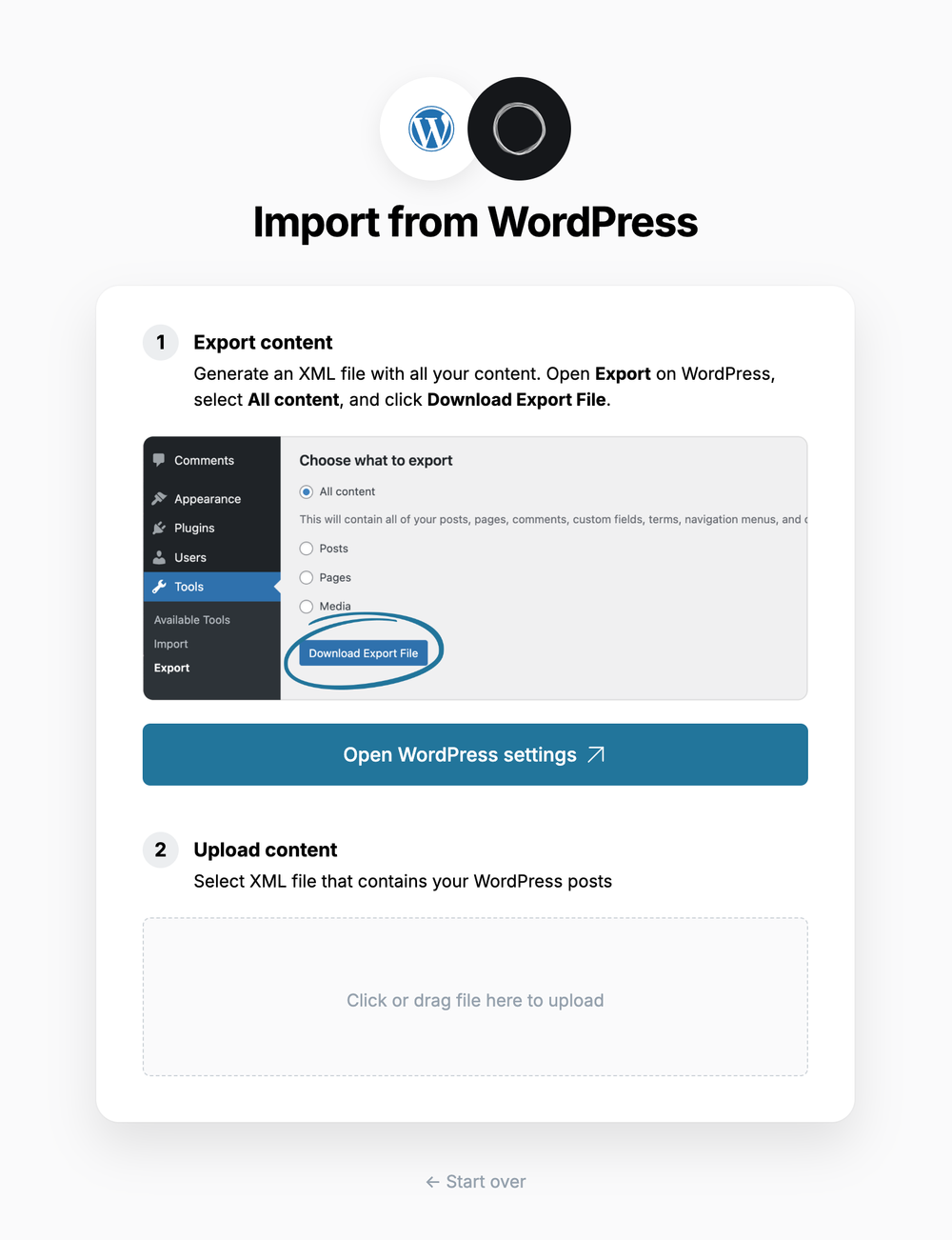 Select **All content,** click **Download Export File**, which will download an XML file with your content in it.
### **3. Upload content**
Once your export has been downloaded, return to the migrator window in Ghost Admin, and select **Click or drag file here to upload**, and navigate to the XML file you downloaded from WordPress, once uploaded click **Continue**.
If you're unsure of where the file was saved, check your Downloads folder.
### **4. Review**
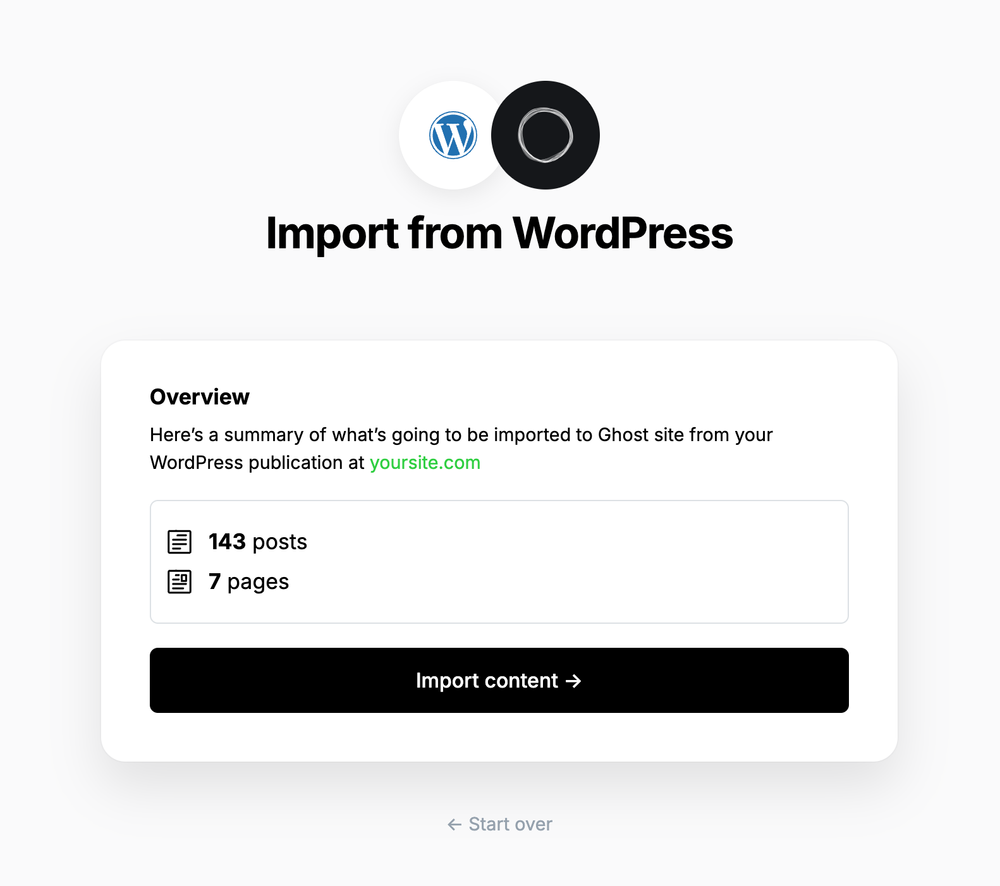
Ghost will confirm the number of posts and pages that will be imported to your publication. If satisfied, click **Import content** to begin the import of your data.
Select **All content,** click **Download Export File**, which will download an XML file with your content in it.
### **3. Upload content**
Once your export has been downloaded, return to the migrator window in Ghost Admin, and select **Click or drag file here to upload**, and navigate to the XML file you downloaded from WordPress, once uploaded click **Continue**.
If you're unsure of where the file was saved, check your Downloads folder.
### **4. Review**
Ghost will confirm the number of posts and pages that will be imported to your publication. If satisfied, click **Import content** to begin the import of your data.
 After a few moments, you'll see a confirmation message, confirming that your data was successfully migrated to your Ghost site.
### Supported Content
What is supported:
* XML files up to 100mb
* Up to 2,500 posts
* Some shortcodes, such as `[caption]`, `[audio]`, `[code]`, along with most `[vc_]` & `[et_]` based shortcodes from page builder plugins.
What's not supported:
* Custom post types
* Most uncommon shortcodes
* Plugins that alter access to content
***
### **Redirects**
ℹ️ WordPress categories are converted to [tags](https://ghost.org/help/tags/) during the migration. The first category for any post will also become the [primary tag](https://ghost.org/help/tags/#primary-tags).
You may need to add redirects to ensure backlinks lead to the correct content.
Please refer to this list of the [most common redirection rules for WordPress migrations](https://ghost.org/tutorials/implementing-redirects/#common-redirects).
## **Large and Complex migrations**
If your migration needs go beyond what our in-built migration tools can support you can still move to Ghost.
If you're a **Ghost(Pro) customer**, our Migrations team can support you in migrating your content and subscribers. Learn more and get in touch with the team [here](https://ghost.org/concierge/).
Alternatively, if you are a developer, comfortable with using the command line, or running a self-hosted Ghost instance, we have a suite of[ open-source migration tools ](https://github.com/TryGhost/migrate)to help with large, complex and custom migrations.
After a few moments, you'll see a confirmation message, confirming that your data was successfully migrated to your Ghost site.
### Supported Content
What is supported:
* XML files up to 100mb
* Up to 2,500 posts
* Some shortcodes, such as `[caption]`, `[audio]`, `[code]`, along with most `[vc_]` & `[et_]` based shortcodes from page builder plugins.
What's not supported:
* Custom post types
* Most uncommon shortcodes
* Plugins that alter access to content
***
### **Redirects**
ℹ️ WordPress categories are converted to [tags](https://ghost.org/help/tags/) during the migration. The first category for any post will also become the [primary tag](https://ghost.org/help/tags/#primary-tags).
You may need to add redirects to ensure backlinks lead to the correct content.
Please refer to this list of the [most common redirection rules for WordPress migrations](https://ghost.org/tutorials/implementing-redirects/#common-redirects).
## **Large and Complex migrations**
If your migration needs go beyond what our in-built migration tools can support you can still move to Ghost.
If you're a **Ghost(Pro) customer**, our Migrations team can support you in migrating your content and subscribers. Learn more and get in touch with the team [here](https://ghost.org/concierge/).
Alternatively, if you are a developer, comfortable with using the command line, or running a self-hosted Ghost instance, we have a suite of[ open-source migration tools ](https://github.com/TryGhost/migrate)to help with large, complex and custom migrations.