> ## Documentation Index
> Fetch the complete documentation index at: https://docs.ghost.org/llms.txt
> Use this file to discover all available pages before exploring further.
# Working With Nuxt
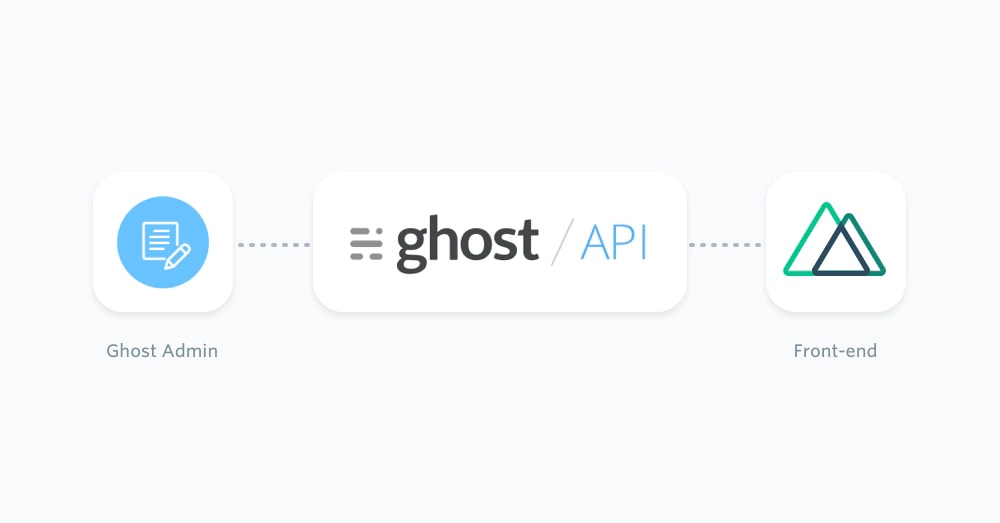
> Learn how to spin up a JavaScript app using Ghost as a headless CMS and build a completely custom front-end with [Vue](https://vuejs.org/) and [Nuxt](https://nuxt.com/).
***
 ## Prerequisites
This configuration of a Ghost publication requires existing moderate knowledge of JavaScript as well as Vue.js. You’ll need an active Ghost account to get started, which can either be self-hosted or using [Ghost(Pro)](https://ghost.org/pricing/).
Additionally, you’ll need to setup a Nuxt application via the command line:
```bash theme={"dark"}
yarn create nuxt-app my-nuxt-app
cd my-nuxt-app
yarn dev
```
To install Nuxt manually refer to the [official documentation](https://nuxt.com/docs/4.x/getting-started/installation) for more information.
## Getting started
Thanks to the [JavaScript Content API Client Library](/content-api/javascript/), content from a Ghost site can be directly accessed within a Nuxt application.
Create a new file called `posts.js` within an `api/` directory. This file will contain all the functions needed to request Ghost post content, as well as an instance of the Ghost Content API.
Install the official JavaScript Ghost Content API helper using:
```bash theme={"dark"}
yarn add @tryghost/content-api
```
Once the helper is installed it can be added to the `posts.js` file using a static `import` statement:
```js theme={"dark"}
import GhostContentAPI from "@tryghost/content-api";
```
Now an instance of the Ghost Content API can be created using Ghost site credentials:
```js theme={"dark"}
import GhostContentAPI from "@tryghost/content-api";
// Create API instance with site credentials
const api = new GhostContentAPI({
url: 'https://demo.ghost.io',
key: '22444f78447824223cefc48062',
version: "v6.0"
});
```
Change the `url` value to the URL of the Ghost site. For Ghost(Pro) customers, this is the Ghost URL ending in .ghost.io, and for people using the self-hosted version of Ghost, it’s the same URL used to view the admin panel.
Create a custom integration within Ghost Admin to generate a key and change the `key` value.
## Prerequisites
This configuration of a Ghost publication requires existing moderate knowledge of JavaScript as well as Vue.js. You’ll need an active Ghost account to get started, which can either be self-hosted or using [Ghost(Pro)](https://ghost.org/pricing/).
Additionally, you’ll need to setup a Nuxt application via the command line:
```bash theme={"dark"}
yarn create nuxt-app my-nuxt-app
cd my-nuxt-app
yarn dev
```
To install Nuxt manually refer to the [official documentation](https://nuxt.com/docs/4.x/getting-started/installation) for more information.
## Getting started
Thanks to the [JavaScript Content API Client Library](/content-api/javascript/), content from a Ghost site can be directly accessed within a Nuxt application.
Create a new file called `posts.js` within an `api/` directory. This file will contain all the functions needed to request Ghost post content, as well as an instance of the Ghost Content API.
Install the official JavaScript Ghost Content API helper using:
```bash theme={"dark"}
yarn add @tryghost/content-api
```
Once the helper is installed it can be added to the `posts.js` file using a static `import` statement:
```js theme={"dark"}
import GhostContentAPI from "@tryghost/content-api";
```
Now an instance of the Ghost Content API can be created using Ghost site credentials:
```js theme={"dark"}
import GhostContentAPI from "@tryghost/content-api";
// Create API instance with site credentials
const api = new GhostContentAPI({
url: 'https://demo.ghost.io',
key: '22444f78447824223cefc48062',
version: "v6.0"
});
```
Change the `url` value to the URL of the Ghost site. For Ghost(Pro) customers, this is the Ghost URL ending in .ghost.io, and for people using the self-hosted version of Ghost, it’s the same URL used to view the admin panel.
Create a custom integration within Ghost Admin to generate a key and change the `key` value.
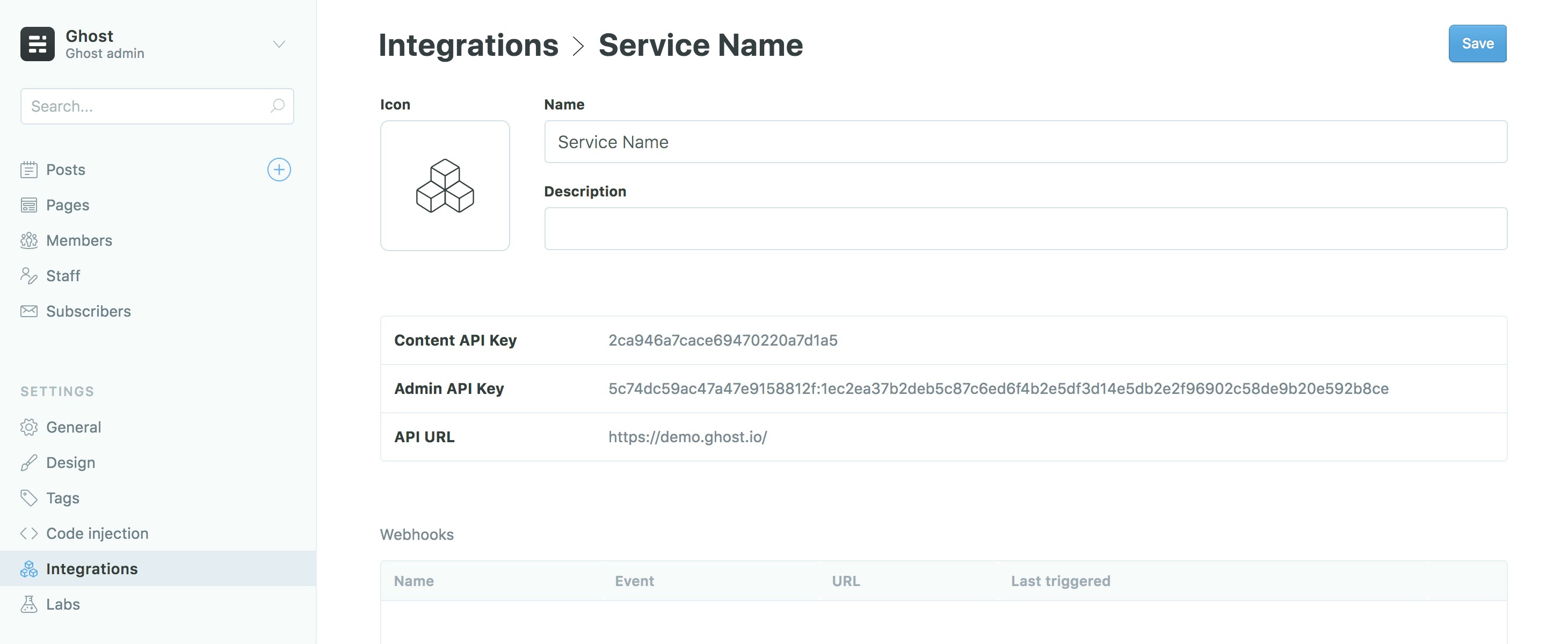 For more detailed steps on setting up Integrations check out [our documentation on the Content API](/content-api/#authentication).
### Exposing content
The [`posts.browse()`](/content-api/javascript/#endpoints) endpoint can be used to get all the posts from a Ghost site. This can be done with the following code as an asynchronous function:
```js theme={"dark"}
export async function getPosts() {
return await api.posts
.browse({
limit: 100
})
.catch(err => {
console.error(err);
});
}
```
Using an `async` function means the Nuxt application will wait until all the content has been retrieved before loading the page. Since this function is being exported using the `export` notation, it will be available throughout the application.
### Rendering posts
Since Nuxt is based on `.vue`, files can contain HTML, CSS and JavaScript to create a neatly packaged up component. For more information check out the [official Vue.js documentation](https://vuejs.org/guide/scaling-up/sfc.html).
To render out a list of posts from a Ghost site, create a new `index.vue` file within a `pages/` directory of your Nuxt project. Use the following code to expose the `getPosts` function within the `index.vue` file:
```vue theme={"dark"}
```
The posts are provided as data to the rest of the `.vue` file using a [`asyncData` function](https://nuxtjs.org/api/) within the Nuxt framework:
```vue theme={"dark"}
```
Posts will now be available to use within that file and can be generated as a list using [Vue.js list rendering](https://vuejs.org/guide/essentials/list.html):
```vue theme={"dark"}
```
For more information about how pages work, check out the [Nuxt pages documentation](https://nuxt.com/docs/4.x/getting-started/views#pages).
### Rendering a single post
Retrieving Ghost content from a single post can be done in a similar fashion to retrieving all posts. By using [`posts.read()`](/content-api/javascript/#endpoints) it’s possible to query the Ghost Content API for a particular post using a post id or slug.
Reopen the `api/posts.js` file and add the following async function:
```js theme={"dark"}
export async function getSinglePost(postSlug) {
return await api.posts
.read({
slug: postSlug
})
.catch(err => {
console.error(err);
});
}
```
This function accepts a single `postSlug` parameter, which will be passed down by the template file using it. The page slug can then be used to query the Ghost Content API and get the associated post data back.
Nuxt provides [dynamic routes](https://nuxt.com/docs/4.x/guide/directory-structure/app/pages#dynamic-routes) for pages that don’t have a fixed URL/slug. The name of the js file will be the variable, in this case the post slug, prefixed with an underscore – `_slug.vue`.
The `getSinglePost()` function can be used within the `_slug.vue` file like so:
```vue theme={"dark"}
```
The `` component can be used with the `post.slug` to link to posts from the listed posts in `pages/index.vue`:
```vue theme={"dark"}
```
Pages are linked in this fashion to make full use of client-side rendering as well as server-side rendering. To read more about how the `` component works, [check out the official documentation](https://nuxt.com/docs/4.x/api/components/nuxt-link).
## Next steps
Well done! You should have now retrieved posts from the Ghost Content API and sent them to your Nuxt site. For examples of how to extend this further by generating content pages, author pages or exposing post attributes, read our useful recipes.
Don’t forget to refer to the [official Nuxt guides](https://nuxt.com/docs/4.x/guide) and [API documentation](https://nuxt.com/docs/4.x/api) to get a greater understanding of the framework.
## Examples
The flexibility of the [Ghost Content API](/content-api/javascript/) allows you to feed posts, pages and any other pieces of content from any Ghost site into a Nuxt JavaScript app.
Below are a few examples of how content from Ghost can be passed into a Nuxt project. If you just landed here, see the [Nuxt](/jamstack/nuxt/) page for more context!
## Getting pages
Pages can be generated in the [same fashion as posts](/jamstack/nuxt/#exposing-content), and can even use the same dynamic route file.
```js theme={"dark"}
export async function getPages() {
return await api.pages
.browse({
limit: 100
})
.catch(err => {
console.error(err);
});
}
```
## Adding post attribute data
Using the `include` option within the Ghost Content API means that attribute data, such as tags and authors, will be included in the post object data:
```js theme={"dark"}
export async function getPosts() {
return await api.posts
.browse({
include: "tags,authors",
limit: 100
})
.catch(err => {
console.error(err);
});
}
```
### Rendering author pages
An author can be requested using the [`authors.read()`](/content-api/javascript/#endpoints) endpoint.
```js theme={"dark"}
export async function getAuthor(authorSlug) {
return await api.authors
.read({
slug: authorSlug
})
.catch(err => {
console.error(err);
});
}
```
A custom author template file can be created at `pages/authors/_slug.vue`, which will also prevent author URLs colliding with post and page URLs:
```vue theme={"dark"}
For more detailed steps on setting up Integrations check out [our documentation on the Content API](/content-api/#authentication).
### Exposing content
The [`posts.browse()`](/content-api/javascript/#endpoints) endpoint can be used to get all the posts from a Ghost site. This can be done with the following code as an asynchronous function:
```js theme={"dark"}
export async function getPosts() {
return await api.posts
.browse({
limit: 100
})
.catch(err => {
console.error(err);
});
}
```
Using an `async` function means the Nuxt application will wait until all the content has been retrieved before loading the page. Since this function is being exported using the `export` notation, it will be available throughout the application.
### Rendering posts
Since Nuxt is based on `.vue`, files can contain HTML, CSS and JavaScript to create a neatly packaged up component. For more information check out the [official Vue.js documentation](https://vuejs.org/guide/scaling-up/sfc.html).
To render out a list of posts from a Ghost site, create a new `index.vue` file within a `pages/` directory of your Nuxt project. Use the following code to expose the `getPosts` function within the `index.vue` file:
```vue theme={"dark"}
```
The posts are provided as data to the rest of the `.vue` file using a [`asyncData` function](https://nuxtjs.org/api/) within the Nuxt framework:
```vue theme={"dark"}
```
Posts will now be available to use within that file and can be generated as a list using [Vue.js list rendering](https://vuejs.org/guide/essentials/list.html):
```vue theme={"dark"}
```
For more information about how pages work, check out the [Nuxt pages documentation](https://nuxt.com/docs/4.x/getting-started/views#pages).
### Rendering a single post
Retrieving Ghost content from a single post can be done in a similar fashion to retrieving all posts. By using [`posts.read()`](/content-api/javascript/#endpoints) it’s possible to query the Ghost Content API for a particular post using a post id or slug.
Reopen the `api/posts.js` file and add the following async function:
```js theme={"dark"}
export async function getSinglePost(postSlug) {
return await api.posts
.read({
slug: postSlug
})
.catch(err => {
console.error(err);
});
}
```
This function accepts a single `postSlug` parameter, which will be passed down by the template file using it. The page slug can then be used to query the Ghost Content API and get the associated post data back.
Nuxt provides [dynamic routes](https://nuxt.com/docs/4.x/guide/directory-structure/app/pages#dynamic-routes) for pages that don’t have a fixed URL/slug. The name of the js file will be the variable, in this case the post slug, prefixed with an underscore – `_slug.vue`.
The `getSinglePost()` function can be used within the `_slug.vue` file like so:
```vue theme={"dark"}
```
The `` component can be used with the `post.slug` to link to posts from the listed posts in `pages/index.vue`:
```vue theme={"dark"}
```
Pages are linked in this fashion to make full use of client-side rendering as well as server-side rendering. To read more about how the `` component works, [check out the official documentation](https://nuxt.com/docs/4.x/api/components/nuxt-link).
## Next steps
Well done! You should have now retrieved posts from the Ghost Content API and sent them to your Nuxt site. For examples of how to extend this further by generating content pages, author pages or exposing post attributes, read our useful recipes.
Don’t forget to refer to the [official Nuxt guides](https://nuxt.com/docs/4.x/guide) and [API documentation](https://nuxt.com/docs/4.x/api) to get a greater understanding of the framework.
## Examples
The flexibility of the [Ghost Content API](/content-api/javascript/) allows you to feed posts, pages and any other pieces of content from any Ghost site into a Nuxt JavaScript app.
Below are a few examples of how content from Ghost can be passed into a Nuxt project. If you just landed here, see the [Nuxt](/jamstack/nuxt/) page for more context!
## Getting pages
Pages can be generated in the [same fashion as posts](/jamstack/nuxt/#exposing-content), and can even use the same dynamic route file.
```js theme={"dark"}
export async function getPages() {
return await api.pages
.browse({
limit: 100
})
.catch(err => {
console.error(err);
});
}
```
## Adding post attribute data
Using the `include` option within the Ghost Content API means that attribute data, such as tags and authors, will be included in the post object data:
```js theme={"dark"}
export async function getPosts() {
return await api.posts
.browse({
include: "tags,authors",
limit: 100
})
.catch(err => {
console.error(err);
});
}
```
### Rendering author pages
An author can be requested using the [`authors.read()`](/content-api/javascript/#endpoints) endpoint.
```js theme={"dark"}
export async function getAuthor(authorSlug) {
return await api.authors
.read({
slug: authorSlug
})
.catch(err => {
console.error(err);
});
}
```
A custom author template file can be created at `pages/authors/_slug.vue`, which will also prevent author URLs colliding with post and page URLs:
```vue theme={"dark"}
{{ author.title }}
{{ author.bio }}
```
### Formatting post dates
The published date of a post, `post.published_at`, is returned as a date timestamp. Modern JavaScript methods can convert this date into a selection of human-readable formats. To output the published date as “Aug 28, 1963”:
```js theme={"dark"}
const posts = await getPosts();
posts.map(post => {
const options = {
year: 'numeric',
month: 'short',
day: 'numeric'
};
post.dateFormatted = new Intl.DateTimeFormat('en-US', options)
.format(new Date(post.published_at));
});
```
The date can then be added to the Vue template using `{{post.dateFormatted}}`.
## Further reading
Check out the extensive [Nuxt API documentation](https://nuxt.com/docs/4.x/api) and [guide](https://nuxt.com/docs/4.x/guide). Additionally the Nuxt site [lists a few examples](https://nuxt.com/docs/4.x/examples/hello-world) that can provide a great starting point.