> ## Documentation Index
> Fetch the complete documentation index at: https://docs.ghost.org/llms.txt
> Use this file to discover all available pages before exploring further.
# Using Cloudflare With Ghost
> If you’ve added Cloudflare to your self-hosted Ghost publication and find that Ghost Admin doesn’t load after updates you may run into some errors in the JavaScript console:
***
### Error
Open developer tools to check for errors in the JavaScript code:
`TypeError: n.item is not a function or Uncaught SyntaxError: Unexpected string`
### To fix
It is recommended that you add a page rule which turns off some RocketLoader, mirage2 and autominify for the path `/ghost*`, so these features don’t affect the Ghost admin panel.
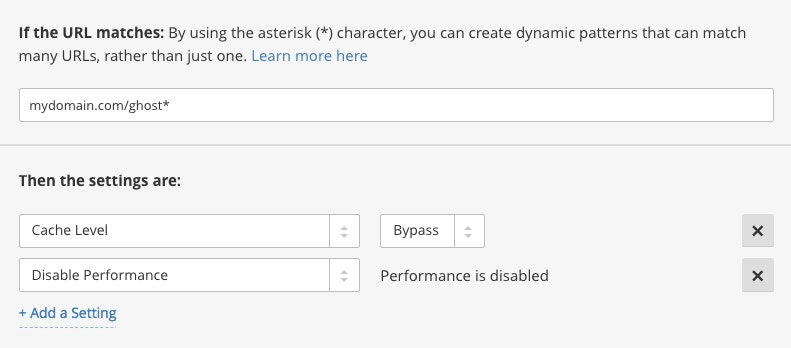 This solution is for developers who are maintaining a self-hosted instance of Ghost. If you’re on Ghost(Pro) both nginx and Cloudflare are configured as standard and you don’t need to do anything.