
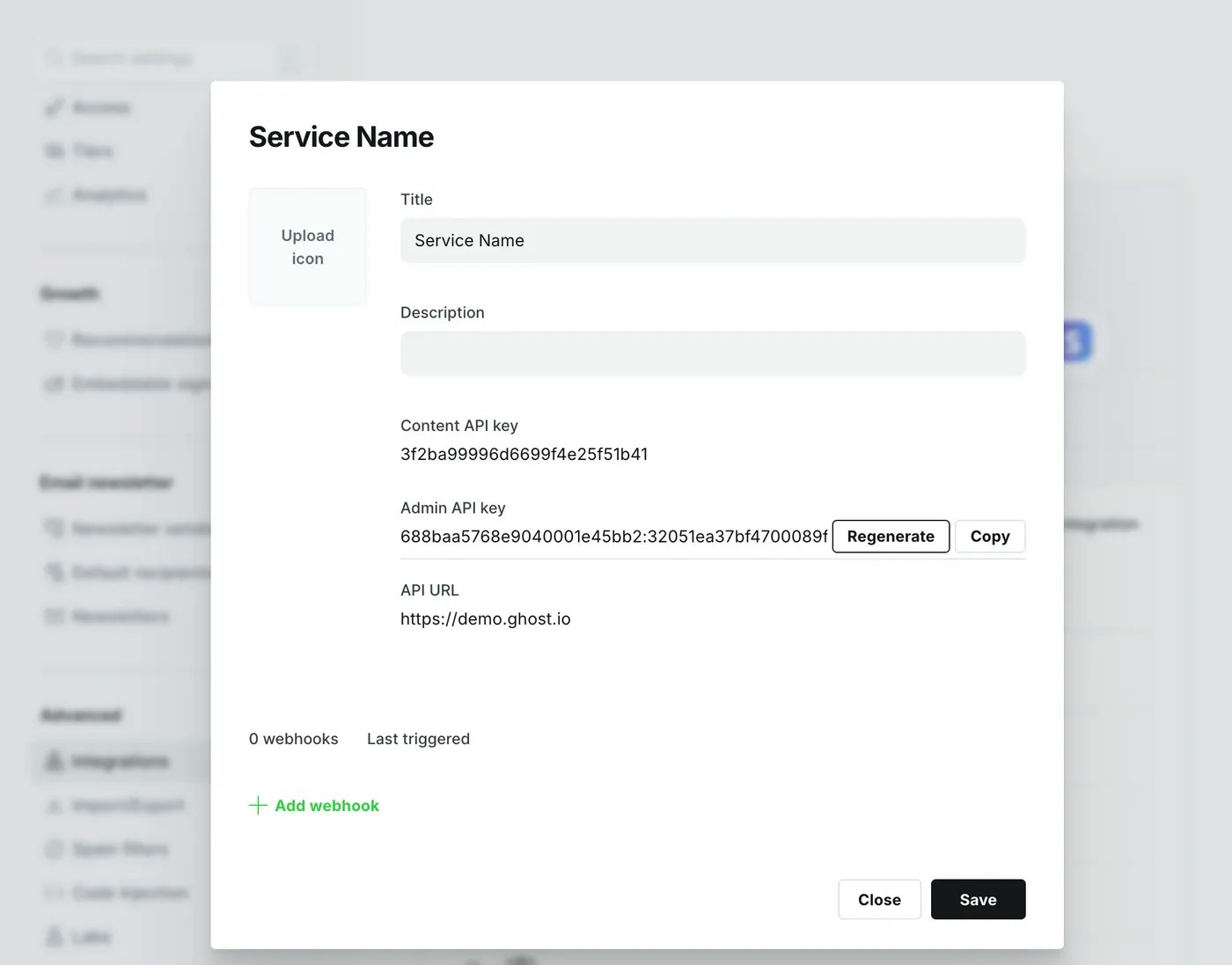
 See the documentation on [Admin API authentication](/admin-api/#authentication) for more explanation.
## Endpoints
All endpoints & parameters provided to integrations by the [Admin API](/admin-api/) are supported.
```js theme={"dark"}
// [Stability: stable]
// Browsing posts returns Promise([Post...]);
// The resolved array will have a meta property
api.posts.browse();
api.posts.read({id: 'abcd1234'});
api.posts.add({title: 'My first API post'});
api.posts.edit({id: 'abcd1234', title: 'Renamed my post', updated_at: post.updated_at});
api.posts.delete({id: 'abcd1234'});
// Browsing pages returns Promise([Page...])
// The resolved array will have a meta property
api.pages.browse({limit: 2});
api.pages.read({id: 'abcd1234'});
api.pages.add({title: 'My first API page'})
api.pages.edit({id: 'abcd1234', title: 'Renamed my page', updated_at: page.updated_at})
api.pages.delete({id: 'abcd1234'});
// Uploading images returns Promise([Image...])
api.images.upload({file: '/path/to/local/file'});
```
## Publishing Example
A bare minimum example of how to create a post from HTML content, including extracting and uploading images first.
```js theme={"dark"}
const GhostAdminAPI = require('@tryghost/admin-api');
const path = require('path');
// Your API config
const api = new GhostAdminAPI({
url: 'http://localhost:2368',
version: "v6.0",
key: 'YOUR_ADMIN_API_KEY'
});
// Utility function to find and upload any images in an HTML string
function processImagesInHTML(html) {
// Find images that Ghost Upload supports
let imageRegex = /="([^"]*?(?:\.jpg|\.jpeg|\.gif|\.png|\.svg|\.sgvz))"/gmi;
let imagePromises = [];
while((result = imageRegex.exec(html)) !== null) {
let file = result[1];
// Upload the image, using the original matched filename as a reference
imagePromises.push(api.images.upload({
ref: file,
file: path.resolve(file)
}));
}
return Promise
.all(imagePromises)
.then(images => {
images.forEach(image => html = html.replace(image.ref, image.url));
return html;
});
}
// Your content
let html = '
See the documentation on [Admin API authentication](/admin-api/#authentication) for more explanation.
## Endpoints
All endpoints & parameters provided to integrations by the [Admin API](/admin-api/) are supported.
```js theme={"dark"}
// [Stability: stable]
// Browsing posts returns Promise([Post...]);
// The resolved array will have a meta property
api.posts.browse();
api.posts.read({id: 'abcd1234'});
api.posts.add({title: 'My first API post'});
api.posts.edit({id: 'abcd1234', title: 'Renamed my post', updated_at: post.updated_at});
api.posts.delete({id: 'abcd1234'});
// Browsing pages returns Promise([Page...])
// The resolved array will have a meta property
api.pages.browse({limit: 2});
api.pages.read({id: 'abcd1234'});
api.pages.add({title: 'My first API page'})
api.pages.edit({id: 'abcd1234', title: 'Renamed my page', updated_at: page.updated_at})
api.pages.delete({id: 'abcd1234'});
// Uploading images returns Promise([Image...])
api.images.upload({file: '/path/to/local/file'});
```
## Publishing Example
A bare minimum example of how to create a post from HTML content, including extracting and uploading images first.
```js theme={"dark"}
const GhostAdminAPI = require('@tryghost/admin-api');
const path = require('path');
// Your API config
const api = new GhostAdminAPI({
url: 'http://localhost:2368',
version: "v6.0",
key: 'YOUR_ADMIN_API_KEY'
});
// Utility function to find and upload any images in an HTML string
function processImagesInHTML(html) {
// Find images that Ghost Upload supports
let imageRegex = /="([^"]*?(?:\.jpg|\.jpeg|\.gif|\.png|\.svg|\.sgvz))"/gmi;
let imagePromises = [];
while((result = imageRegex.exec(html)) !== null) {
let file = result[1];
// Upload the image, using the original matched filename as a reference
imagePromises.push(api.images.upload({
ref: file,
file: path.resolve(file)
}));
}
return Promise
.all(imagePromises)
.then(images => {
images.forEach(image => html = html.replace(image.ref, image.url));
return html;
});
}
// Your content
let html = 'My test post content.